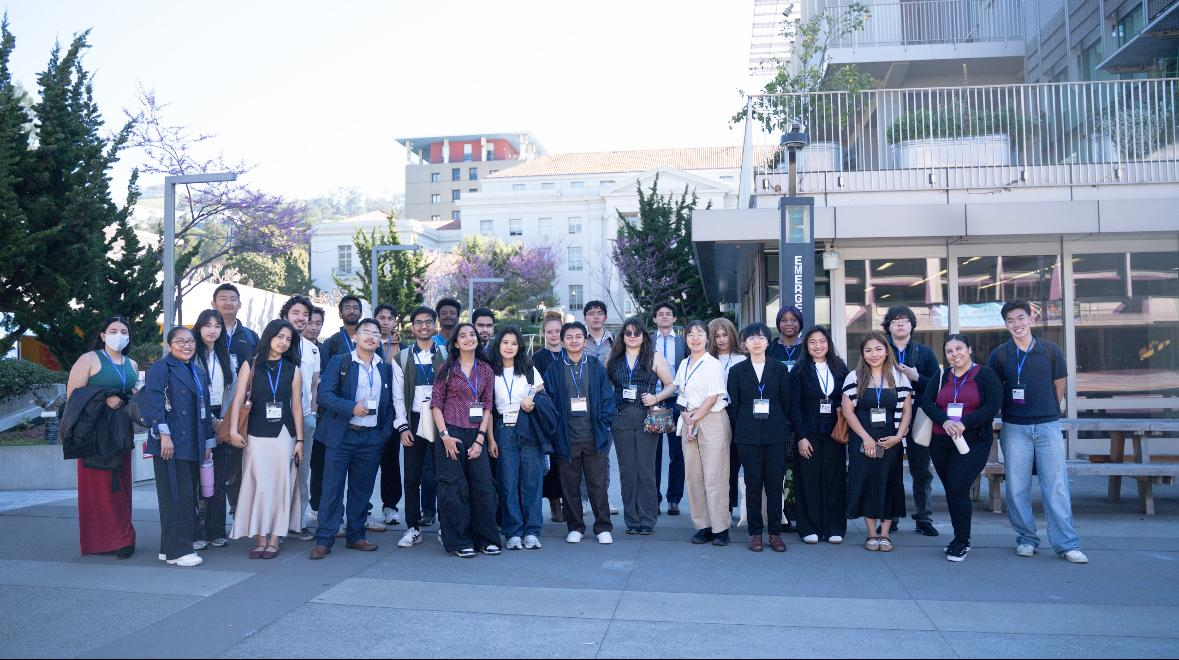
I'm a junior at Berkeley studying Cognitive Science + Data Science. I build products at the intersection of AI, data, and human behavior. Currently at Lennox International as a PM Intern (Allied Team, Summer 2026).
Non-invasive biosensor + predictive AI for diabetes management
Free peer-to-peer marketplace for Berkeley students. Pinterest-style discovery, .edu auth, 72hr auto-expiring listings.
Live podcast translation hitting 92% accuracy. Started because of Bad Bunny's Super Bowl.
Gesture-controlled game for children with motor disabilities. 1 in 345 children has cerebral palsy.
Real-time dark pattern detection engine. ML classifier trained on 2,400+ screenshots flags deceptive UI across 15 categories while you browse.
Case study: intelligent form recovery for enterprise SaaS. 81% of users abandon forms — FormFlow predicts dropout and adapts in real time.
Accessible navigation with emergency response. Born from breaking my foot at a Coldplay concert and spending 23 extra minutes navigating broken ramps to the ER.
Non-invasive biosensor + predictive AI + community platform
My twin sister Tanisha was diagnosed with Type 1 diabetes. I remember the exact moment it changed everything — not just for her, but for everyone around her. My family and I showed up in every way we knew how, but there was this quiet truth none of us could get around: no matter how present we were, we would never fully understand what she was feeling. The 3am lows. The mental math before every meal. Changing a CGM sensor every 13 days and bracing for the sting each time.
That sense of isolation — of living with something that the people closest to you can't truly feel — is what led me to TAN-1. I didn't want to build another glucose tracker. I wanted to build the thing I wished existed for Tanisha: a place where people living with the same condition could find each other. Where a 14-year-old could learn from a 67-year-old that pressing an ice cube to your skin before inserting the CGM sensor makes it hurt less. Where someone newly diagnosed could ask a question at 2am and actually get an answer from someone who gets it.
I interviewed over 80 people — pre-teens, college students, parents, senior citizens — to understand what they actually needed. Not what a product roadmap said they needed. What I heard again and again was that the hardest part wasn't the disease itself. It was feeling like no one else understood.
To Tanisha — this journey is not even 1% of what you go through every single day. But if it helps even one person feel a little less alone, I think it's worth everything.
TAN-1 is three things in one: a predictive glucose monitoring system that hits 92% accuracy using non-invasive biosensor data, a community platform where people with diabetes share real-world hacks and recipes, and a personalized insights engine that learns your patterns over time. The community piece was the hardest to get right — it needed to feel like a group chat with people who actually get it, not a clinical support forum.
The biggest surprise: the #1 request wasn't better technology. It was connection. Pre-teens wanted to know other kids like them existed. Parents wanted to talk to parents who'd been through it. Senior citizens wanted recipes that actually tasted good. Everyone wanted someone who understood without having to explain.
Every semester, Berkeley students cycle through textbooks, furniture, electronics, and dorm supplies. The existing options — Facebook Marketplace, Craigslist, Free & For Sale groups — have no identity verification, stale listings that never get removed, and zero campus trust. Students deal with no-shows, scams, and messages from non-students.
Curb is a campus-only marketplace where every user is verified through their .edu email. Listings auto-expire after 72 hours to keep inventory fresh — I analyzed listing lifecycle data from campus buy/sell groups and found most sales happen within 48 hours or never. The interface uses a Pinterest-style visual feed because students browse visually; text-heavy listings from Craigslist-era platforms have significantly lower engagement.
Live podcast and lyrics translation with 92% accuracy across 5 languages
Bad Bunny's Super Bowl halftime show. I was watching with friends and someone asked what the lyrics meant — I realized I had no idea, even though I'd been listening to him for months. Then it hit me: Bad Bunny has 65M+ monthly listeners on Spotify, but only a fraction actually understand Spanish. That's millions of people connecting with the emotion of a song without ever understanding the words. That gap between feeling the music and understanding the meaning — that's what I wanted to close. Not with static Google Translate subtitles, but with something that feels native to the listening experience.
A real-time translation pipeline that works with live podcast audio and synced lyrics. Audio goes through Whisper for transcription, a custom NLP layer for context-aware translation (music needs different translation than conversation), and TTS for optional spoken output. The key insight was that direct word-for-word translation kills the emotional register of lyrics — so the NLP layer preserves poetic structure while translating meaning.
Cross-language streaming on Spotify grew 28% year-over-year. 672M monthly active users, and the fastest-growing markets are non-English-speaking countries. But Spotify's podcast and lyrics features are still English-first. This tool bridges that gap — not just for Bad Bunny fans, but for the entire creator economy of non-English content.
Gesture-controlled adaptive learning game for children with motor and cognitive disabilities
Sophomore year, I interned as a UX researcher at a speech therapy clinic. My job was to understand how patients — mostly children — actually learned. What I kept seeing was the same frustration loop: a kid would sit in front of a worksheet, struggle, shut down, and check out completely. The parents were exhausted. The kids were demoralized. And the therapists were working with tools that hadn't changed in years.
I started interviewing families. I spoke with frustrated parents and children aged 10 to 16 who didn't just struggle with schoolwork — they didn't know how they learned. They couldn't pick up on social cues in group settings. They'd study for hours and still fail tests, not because they weren't smart, but because nobody had ever figured out their learning style and met them there.
That's what Neuro Learner does. It's not a flashcard app. It's a game that you play with your hands — gesture-controlled through your webcam — that adapts in real time to how you respond. It uses active recall, spaced repetition, visual association, and kinesthetic input, then tracks your response times across all of them. At the end, it doesn't just give you a score. It tells caregivers exactly how this child learns best and builds a personalized plan around that. Because the problem was never the kids. It was that no one had built something that worked the way their brains actually work.
A gesture-controlled game where children navigate levels using hand movements tracked by their webcam through MediaPipe. While they play, the system cycles through different question types — active recall, visual matching, spaced repetition, kinesthetic challenges — and measures response time and accuracy for each. The output isn't just a score; it's a complete learning profile that tells caregivers which modalities work best for their child and generates a curated learning plan.
1 in 345 children is diagnosed with cerebral palsy. Hundreds of thousands more have motor or cognitive disabilities that make traditional learning tools inaccessible. These kids aren't less capable — they're just working with tools that were never designed for them.
Real-time ML classifier that exposes deceptive UI patterns across the web
Last fall I was buying textbooks online — doing the broke-college-student thing of comparing five different sites to save $3. On one site, the checkout page had a countdown timer saying "Price expires in 4:58!" so I rushed through. Accidentally enrolled in a $12.99/month "Premium Buyer's Club" because the checkbox was pre-ticked in gray text at the bottom. I didn't even notice until the charge hit my bank account three weeks later.
That made me angry enough to start digging. I found the Princeton study — Mathur et al. crawled 11,000 shopping sites and found 1,818 instances of dark patterns across 15 categories. That countdown timer I fell for? It resets every time you reload the page. That pre-checked box? It's called "sneak into basket" and it's one of the most common tricks. An ICPEN review in 2024 found that 76% of subscription sites use at least one dark pattern. The FTC fined Amazon $2.5 billion over their Prime cancellation flow — a 4-page, 6-click, 15-option maze they internally called the "Iliad Flow."
So I built Phantom. Not as a research paper — as a tool that actually runs while you shop. A MobileNet v3 classifier trained on 2,400+ labeled screenshots that detects 15 types of dark patterns in real time and overlays warnings directly on the page. Because knowing that dark patterns exist isn't the same as catching them in the moment when you're tired and just trying to check out.
76% of sites are designed to trick you. Phantom is designed to catch them.
Phantom has two parts. The Chrome extension runs a lightweight MobileNet v3 classifier (quantized to 4MB) that scans visible UI elements in real time and flags dark patterns with colored overlays — red for urgency/scarcity tricks, orange for sneaky additions, purple for confirmshaming and misdirection. It processes each viewport in under 200ms so there's no visible lag. The companion dashboard aggregates patterns across every site you visit, building a personal dark pattern map — which stores are the worst offenders, which pattern types you encounter most, and how many times Phantom has saved you from something you didn't notice.
I built the training dataset from three sources: screenshots I manually labeled from the top 500 e-commerce sites, augmented data from the Mathur et al. Princeton taxonomy of 15 dark pattern types, and synthetic examples generated by systematically modifying clean UI components. Total training set: 2,400+ labeled screenshots across categories like fake urgency, hidden costs, confirmshaming, trick questions, disguised ads, and forced continuity. The classifier hits 94.2% F1 on a held-out test set, with the weakest performance on "misdirection" patterns (89.1%) since they're the most context-dependent.
The EU Digital Services Act now explicitly regulates dark patterns. The FTC has signaled continued enforcement under Section 5 after their click-to-cancel rule was vacated on procedural grounds in 2025. California, Colorado, and Connecticut have dark pattern provisions in their privacy laws. There's a regulatory wave coming, but consumers still have zero tools to protect themselves in real time. Phantom fills that gap.
AI-powered adaptive forms that cut abandonment by 67% through progressive disclosure + real-time enrichment
I applied to 47 internships last recruiting season. Every single one had a different application form, and every single one asked me the same 12 questions in a slightly different order. Name, email, school, GPA, graduation year, resume upload, cover letter, "How did you hear about us?", "Are you authorized to work in the United States?", and on and on. I tracked my time: I spent an average of 23 minutes per application, and I abandoned 11 of them before finishing. Not because I didn't want the job — because the form was exhausting.
Then I looked at it from the other side. In my PM internship, I saw our enterprise demo request form. Seven required fields across four pages. Our analytics showed that 81% of visitors who started the form never finished it. We were spending $340 per lead on Google Ads to get people to that page, and four out of five of them bounced. That's $272 per abandoned form. Multiply that across the 3.8% median SaaS conversion rate and you start to see the scale of money being left on the table.
FormFlow is my answer to a question that's been bugging me since application season: what if forms were smart enough to know when they're losing you, and adaptive enough to do something about it?
81% of users abandon forms after starting. The problem isn't the user — it's the form.
Enterprise SaaS companies spend heavily to drive traffic to conversion forms — demo requests, trial signups, contact sales — but the forms themselves are conversion killers. The data is stark: 81% of users who start a form abandon it before submitting. The average enterprise demo request form has 7-11 required fields across multiple pages. Every additional field reduces completion by 4-7%. And the biggest drop-off happens when forms ask for information the user perceives as too personal too early (phone number, company revenue, budget).
Existing solutions attack this problem from one angle: Typeform makes forms feel conversational but doesn't adapt to behavior. Clearbit enriches company data from email domains but doesn't change the form itself. Drift replaces forms with chatbots but loses the structured data sales teams need. No one combines real-time behavioral prediction with adaptive form UX and data enrichment in a single product. That's the gap FormFlow fills.
FormFlow has three components working together. First, a behavioral prediction model that watches mouse movement, scroll velocity, field focus time, and tab-switching to estimate abandonment probability in real time. When risk crosses 60%, the form adapts — collapsing optional fields, offering one-click suggestions, or switching to a conversational mode. Second, domain-based enrichment that auto-fills company data from the email address (company name, size, industry, revenue range), eliminating 3-4 fields instantly. Third, progressive disclosure that shows one question at a time with smart defaults, reducing cognitive load by 40% based on Hick's Law research.
I interviewed 15 growth PMs and 8 sales ops leaders across Series B-D SaaS companies. Key findings: the average company loses $180K/year to form abandonment on their highest-value conversion page. Sales teams need 5 core fields (name, email, company, role, use case) but marketing adds 3-6 more for segmentation. 12 of 15 PMs said they'd pay for a tool that could increase form completion without reducing data quality. The most requested feature was "smart field elimination" — knowing which fields to skip for which visitors.
Initial target: Series B-D SaaS companies with 10K+ monthly website visitors and an existing demo request flow. Pricing model: usage-based at $0.03 per form impression with a $500/month base, aligning cost with value since more form traffic = more revenue recovered. Distribution: Salesforce AppExchange and HubSpot Marketplace integrations for instant CRM sync, plus a standalone JavaScript snippet for custom forms.